MCP Bridge Part 3: How we made getProcInfo3() agent-readable: hybrid discovery + AI Enrichment
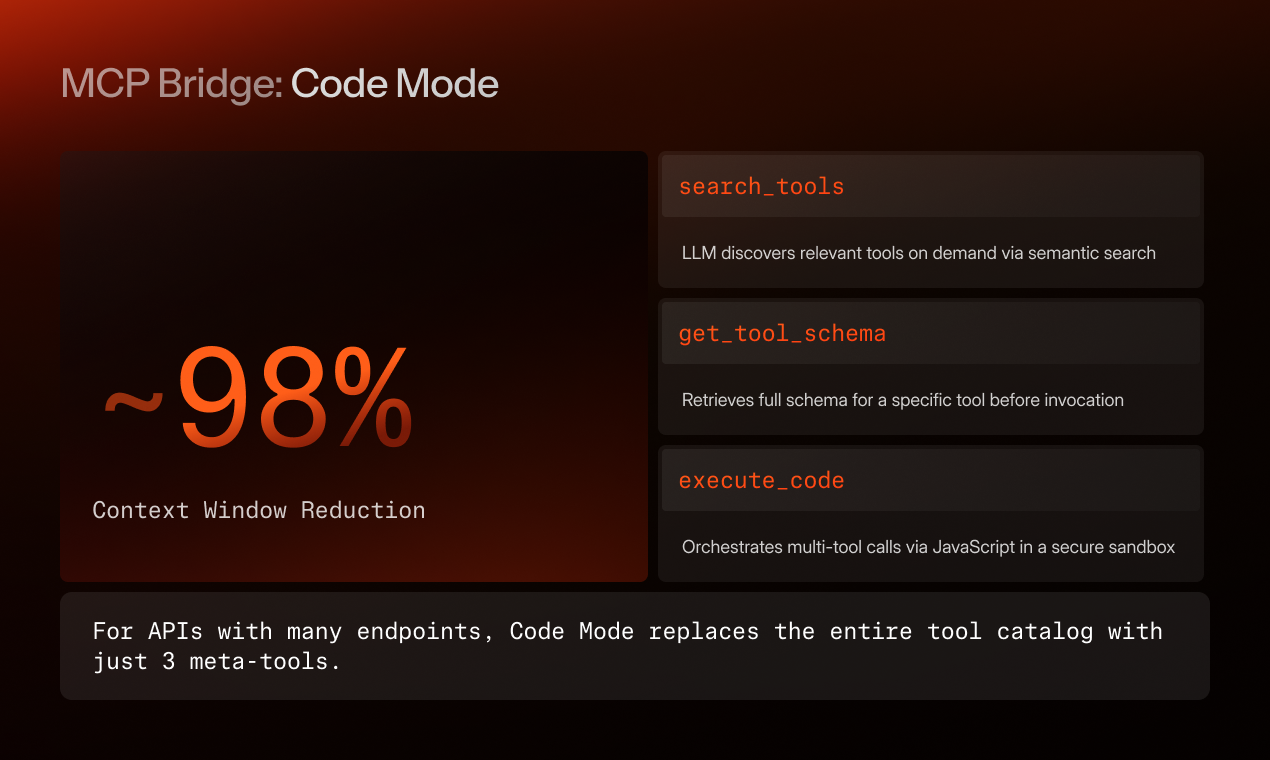
In the previous article, we walked through Code Mode, three meta-tools that replace the entire MCP tool catalog when the API surface is large. The first of those three meta-tools is search_tools. Today we're opening it up.
search_tools is what stands between an LLM agent and a 200-operation API surface. It needs to take a natural-language description of what the agent wants to do, and return the three or four tools that can actually do it. Get this wrong and the agent ends up either flailing through irrelevant tools or, worse, calling the wrong one confidently.
We thought this would be the easy part of MCP Bridge. It wasn't.
What we tried first, and why it didn't work
Our first cut was pure vector search. Embed every tool's name + description with an OpenAI embedding model, store them in pgvector, query at runtime. It works fine on a textbook dataset. It falls over on enterprise APIs the moment you have two tools with similar embeddings but different intent (get_customer vs get_customer_full vs get_customer_with_orders).
We tried full-text search next. Postgres FTS with synonym dictionaries. Better on exact matches, worse on the cases where the agent's intent doesn't share vocabulary with the tool description.
What landed is a hybrid: Postgres FTS does the first pass (with BM25-style ranking), pgvector does the second pass on the top FTS candidates plus a wider semantic-only pool, and a small reranker collapses the two ordered lists into a single score. The reranker also factors in the agent's recent context, if the agent has been working with customer data, customer-shaped tools rank higher.
This works well, when the source data is good.
The data problem
Enterprise APIs aren't named for LLMs. They're named for the engineers who wrote them, often a decade ago, under naming conventions that have since been forgotten. A real example from a real customer:
getProcInfo3(custId, opt) → object
Description: "See documentation."
The signature alone is useless. custId is a faint hint, opt could mean anything, and the return type object tells you nothing. No semantic search method survives that input.
The response, on the other hand, is full of signal:
{
  "custId": "C-44218",
  "billingAddress": { "..." },
  "accountStatus": "active",
  "primaryContact": { "..." },
  "assignedManager": "..."
}
That's what the tool actually does, a customer account lookup, billing-and-contact level detail. The shape of the response is what tells you what this is.
We considered telling customers to fix their API names. This is a real solution at the small scale and an impossible solution at the only scale that matters. The customer with 70 legacy services is not going to rename their APIs because we asked.
So we built AI Enrichment.
How AI Enrichment works
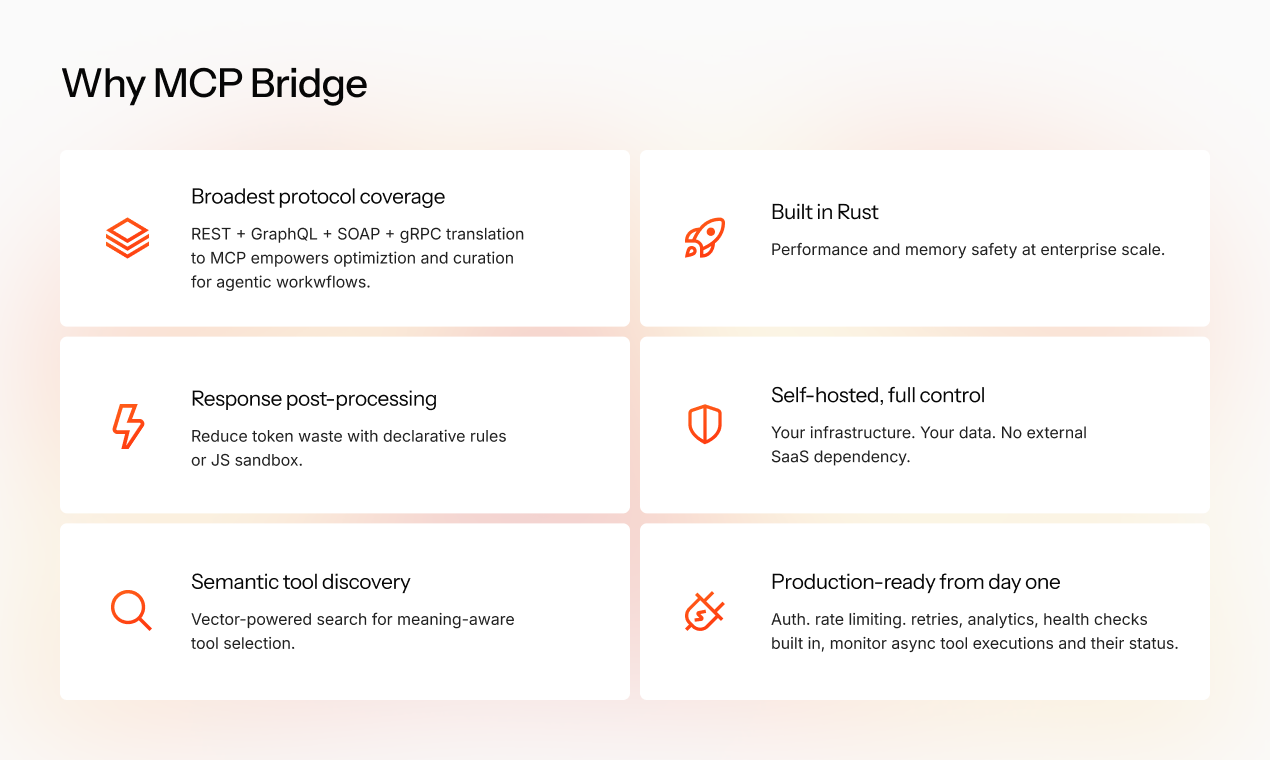
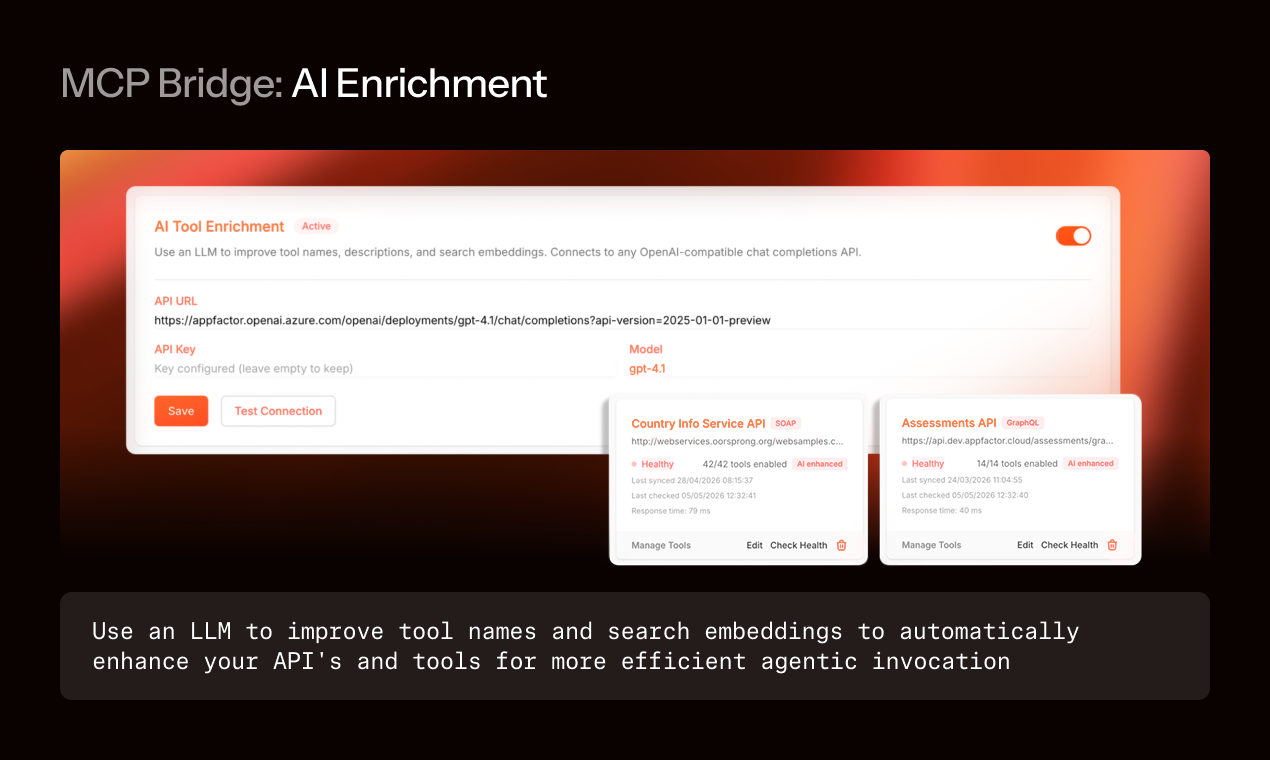
You point MCP Bridge at any OpenAI-compatible chat completions endpoint. We use Azure OpenAI internally; Anthropic via a compatible proxy works; local Llama via vLLM works. You enable enrichment on a service, and the platform:
- For each tool, gathers whatever signal is available: the name, the (often empty) description, the parameter schema, the response type definition (pulled from OpenAPI, WSDL, or .proto when available), and, for opaque APIs, a captured sample response from a probe call or traced production traffic.
- Sends a structured prompt asking the model to generate a clearer name, a 1–2 sentence description of what the tool does and when an agent would use it, and a list of 3–5 tags or aliases.
- Validates the output against a schema (no hallucinated parameters, no semantic drift in input/output types).
- Stores the enriched metadata alongside the original schema. Tool calls still use the original name and schema, only the discovery layer sees the enriched version.
The signal that matters most is the response shape. We tried enrichment with just name + description and the model had no way to tell getProcInfo3 from getProcInfo4. Once it can see the response (or a sample), the function becomes legible. For SOAP services, WSDLs typically give us the response type. For undocumented APIs, MCP Bridge can either run a one-time probe or pull from a trace.
Crucially: enrichment is opt-in per service and the original schema is preserved. The agent never sees a renamed parameter. We didn't want a system that quietly diverges from the source API.
Before and after
Here's getProcInfo3 from the real (anonymized) customer SOAP service. The enrichment model saw the original signature, the empty description, and the response sample above. From the response fields (custId, billingAddress, accountStatus, primaryContact, assignedManager), it inferred:
Original
Name: getProcInfo3
Description: "See documentation."
Enriched (for discovery only)
Name: get_customer_account_details
Description: "Fetches a customer's account profile, including billing address, account status, primary contact, and assigned account manager. Useful for verifying account state before initiating support, billing, or sales actions."
Aliases: customer_lookup, account_info, customer_profile, billing_account
Tool-selection accuracy on the agent task suite we used yesterday's benchmark on improved from 41% to 89% on this customer's services after enrichment. The numbers below the SOAP suite were less dramatic because the REST services already had reasonable names, gains were 71% → 88% there. The lesson: enrichment matters most exactly where it's hardest to do anything else.
A few engineering notes
Embeddings are regenerated when the enriched description changes. The original embedding is also kept; we found that combining them at retrieval time (weighted, original × 0.3 + enriched × 0.7) outperformed using either alone.
The reranker is small. A cross-encoder trained on a few hundred (intent, tool, label) triples we hand-curated. It's the cheapest part of the system in inference cost; you could replace it with a model-based scorer at minor cost.
Cost control matters. Re-enrichment runs nightly only for services that have changed. A 200-operation service typically costs about 30 cents of GPT-4-class inference per full enrichment pass.
We expose hit-rate metrics in the admin UI. You can see which tools are being found by search_tools and which are being ignored. This is the single most useful signal for figuring out which services to enrich first.
Try it out
Docs are at docs.mcp-bridge.ai. Enabling enrichment is a one-click toggle on any service in the admin UI; you can preview the rewrites before they go live.
On Friday, we're live on Product Hunt. The feature drop is Response Post-Processing, the other half of the context-window problem. See you there.