MCP Bridge Part 4: Production-grade by default with auth, rate limits, retries, observability
Every conversation with a platform team about adopting an MCP layer eventually arrives at the same question: "fine, but can we actually run this in production?"
It's the right question. Production-readiness is where most agent infrastructure breaks down, not because the features are wrong, but because the operational primitives weren't designed for the conditions enterprise systems actually run under. The MCP space is full of demos that work beautifully against a clean OpenAPI spec and crumble the moment they meet a flaky downstream service, an over-eager LLM retry loop, or a SOAP endpoint that returns successful empty responses during a cache rebuild.
The boring half - auth, rate limits, retries, observability - is what determines whether your agent stack survives Monday morning at 3am. We built MCP Bridge with that half in mind from day one. This post is about the engineering decisions behind it.
Three production realities shaped those decisions:
1. Retry logic is correct until it isn't. The cases that bite you are the ones that look like success.
2. LLMs retry the same call eight times in two seconds when a response isn't what they expected.
3. No enterprise API portfolio shares a single auth scheme. Bearer, Basic, OAuth2, Cognito SRP, SOAP legacy auth, SOAP WS-Security, your portfolio has all of them.
The rest of this post walks through how MCP Bridge handles each: auth, rate limits, retries, health checks, observability. The features nobody puts in marketing copy and everybody needs.
Auth: per-service config, not a universal token
Enterprise APIs don't share auth schemes. Some are Bearer tokens, some are Basic auth, some are API keys passed in a header or query parameter. OAuth2 shows up in most modern stacks. AWS Cognito SRP is rarer but unavoidable for AWS-native shops. And the occasional service has no auth at all. MCP Bridge supports all six. We didn't try to unify them, each connected service has its own auth config, its own credential rotation path, and the admin UI itself sits behind OIDC so the same identity boundary your engineers already use protects the control plane.
The choice to keep auth per-service rather than push everything through a central token broker was deliberate. Token brokers look clean in a diagram and fall apart in production: the moment one service needs SRP and another needs OAuth2 with refresh, you've built a translator on top of a translator. Per-service config has more configuration surface, but each piece of that surface maps directly to a single, debuggable auth flow.
Two specifics worth flagging because they're easy to miss. Per-tenant OAuth2 tokens cache and refresh separately, so multi-tenant agents never share credentials across the request boundary. And credentials never appear in the tool catalog. The second one sounds obvious, but several agent frameworks accidentally leak credential metadata into tool descriptions,. we audited for it.
Rate limiting: per-tool, per-tenant
LLMs are creative about how they retry. A model that decides it needs to look up a customer will sometimes look that customer up eight times in two seconds when the response isn't quite what it expected. The token cost of those retries is trivial. But the downstream API's rate limit will instantly produce a 429, and that's what wakes someone up at 3am.
MCP Bridge enforces rate limits at two levels. Each tool has a default rate limit you can override, useful when one downstream API can handle a flood and another can't. And for multi-tenant agents, those limits apply per tenant rather than in aggregate, so one tenant can't drain another's quota. The defaults are conservative, the override is one line in the admin UI, and we resisted being clever about it. Explicit beats implicit when you're explaining a 429 to the team at 11pm.
Retries: exponential backoff with jitter
We retry tool calls that fail with the usual retryable conditions - 5xx, 429 with Retry-After, network errors - using exponential backoff with jitter:
delay = min(base * 2^attempt, cap) * (1 + random(-0.3, 0.3))
Default values are base 200ms, cap 5s, three attempts. All configurable per service. The math itself isn't novel. What matters is the jitter. Without it, when a downstream API goes down briefly and three agent instances retry simultaneously, they retry at exactly the same moments and pile up at recovery — and the recovery turns into the next outage. This is a thirty-year-old result that keeps getting rediscovered, mostly because the default in many HTTP clients is fixed-interval backoff. We just shipped with the right defaults.
Health checks: real probes, not green dots
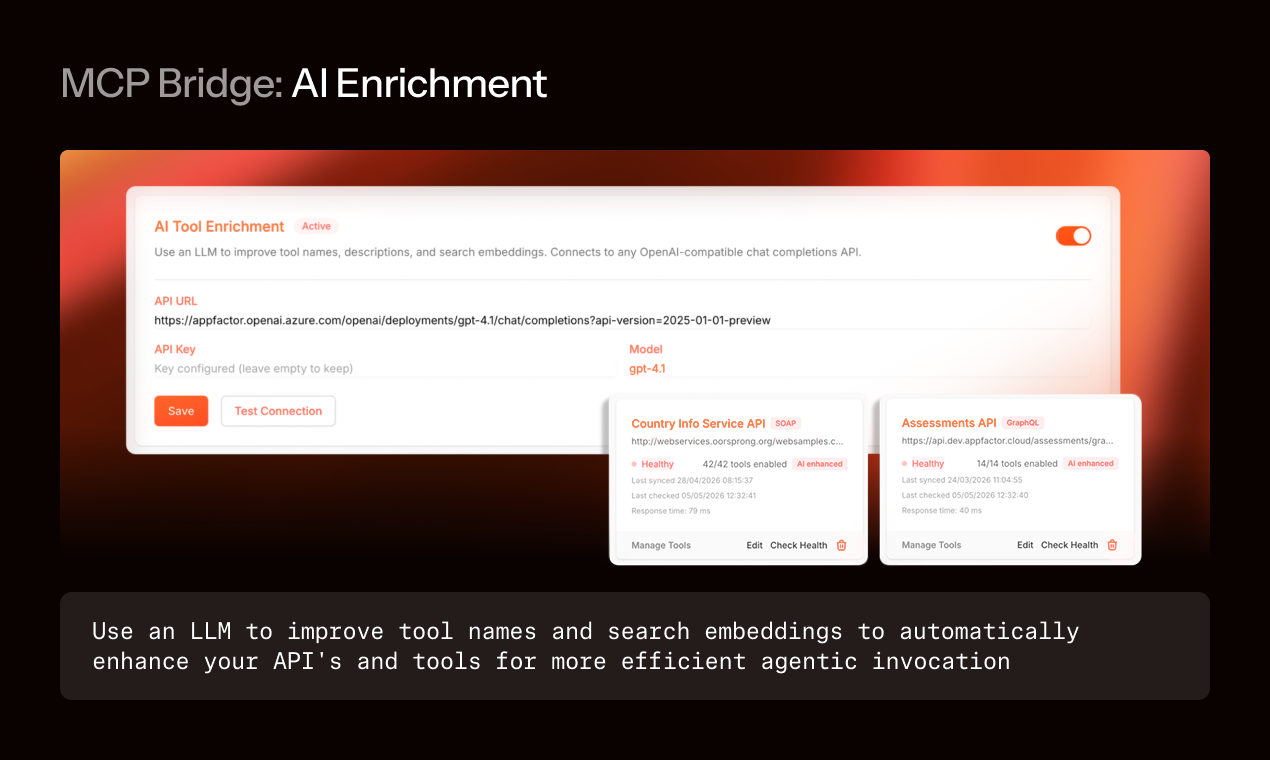
On the dashboard side, every connected service gets a health row that shows whether it's actually reachable, by running an active probe, not just whether anyone's called it recently. The same row shows how many tools are currently enabled versus the total in the schema, when the schema last synced, p50 and p99 latency over the last hour, and the error rate. The probe runs against a configurable health endpoint, or, if the service doesn't expose one, a lightweight GET that confirms it's responding.
The cost of that probe is small. The trust it earns from the engineer on-call is enormous. A green dot you have to take on faith is worse than no dot at all.
Observability: OpenTelemetry, wherever you already look
For the teams running their own observability stack, and that's most teams worth working with, MCP Bridge emits OpenTelemetry traces and metrics. No proprietary protocol, no SaaS dependency. Export to Datadog, Grafana, Honeycomb, an in-house OTel collector, whatever you already run.
The traces cover tool calls end-to-end: tool name, parameter sizes, response sizes, downstream latency, and token cost are all tagged on the span, so a single trace tells you both whether a call succeeded and what it cost in inference. The metrics break down by tool, tenant, and model, which means "which tool is costing us the most in inference" is answerable without instrumenting your agent. The discovery layer emits hit-rate metrics too, useful when you're figuring out which legacy services to prioritize for AI Enrichment. We resisted building our own dashboard product. Every team has one already.
The shape of the design
None of this was bolted on. Per-service auth is in the architecture because we tried a central token broker first and watched it collapse the moment a customer needed AWS Cognito SRP alongside OAuth2 and Bearer. Jittered retry math is in the code because our first version used fixed intervals and we caused our own thundering herd in a staging environment. Health-probe granularity is what it is because earlier "last-seen" telemetry let a service slip past us that was returning successful empty responses during a cache rebuild.
Production-ready isn't a feature you add at the end. It's a shape you carry through every decision, and the decisions get worse if you skip the parts that aren't in the demo.
Why MCP Bridge
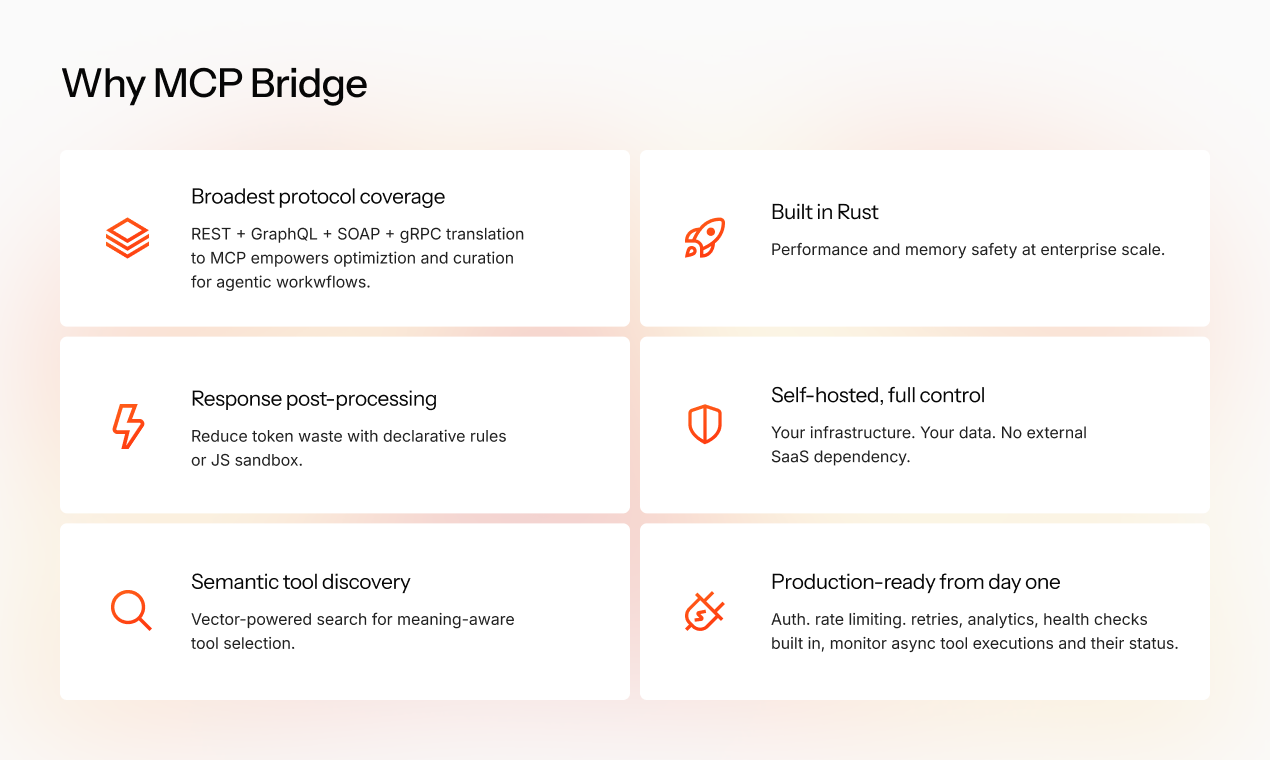
This post covered one of six pillars that define why MCP Bridge exists. The others, briefly:
– Broadest protocol coverage. REST, GraphQL, SOAP, and gRPC translate to MCP in a single layer, no per-service adapters, no second integration project.
– Built in Rust. Performance and memory safety at enterprise scale, with predictable latency under load.
– Semantic tool discovery. Hybrid full-text + vector search, plus AI Enrichment for legacy APIs that ship with bad names, so getProcInfo3 becomes findable.
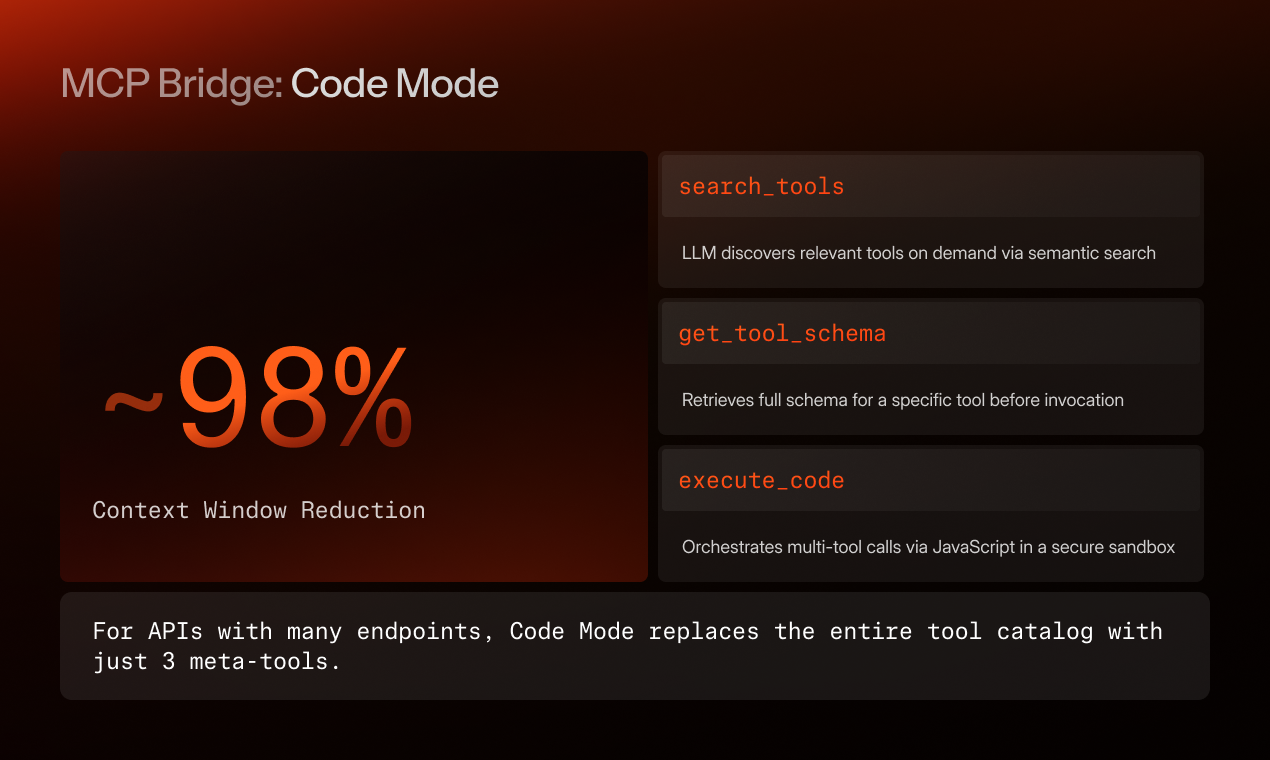
– Response post-processing. Declarative rules and a JS sandbox that shrink tool outputs before they hit the model. Same engineering principle as Code Mode, kill token waste before the model pays for it.
– Self-hosted, full control. Your infrastructure, your data, no SaaS dependency. The platform runs in your network and your tokens never leave it.
– Production-ready from day one. Auth, rate limits, retries, health checks, observability - what this post covered.
The pillars aren't a feature list. They're a set of decisions about what an MCP layer should be when the demo ends and the platform starts running real workloads.
What's next
Tomorrow we launch on Product Hunt. Try MCP Bridge: mcp-bridge.com.